

Seedance 2.0 Mini AI VideoGenerator Online
Try Seedance 2.0 Mini online with Topview. Also known as Seedance 2 Mini, this lightweight AI video model creates short video previews from text prompts and reference images.
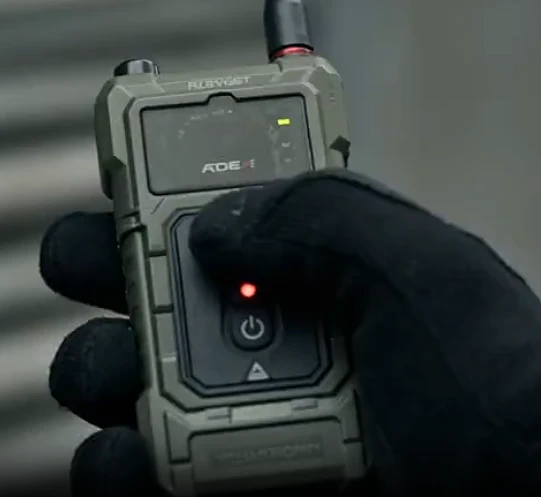
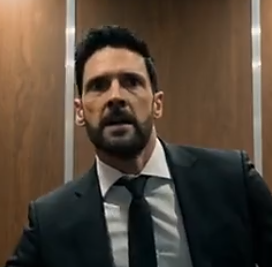
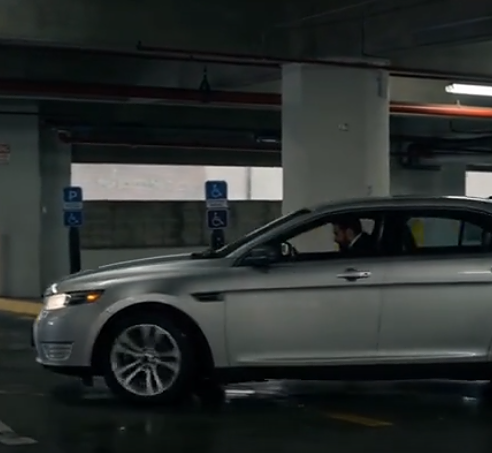
Cinematic tactical action sequence. S1: [Close-up, tight framing]+[A special forces operator presses a breaching detonation button @Image1]. S2: [Medium shot, handheld tracking]+[The team storms indoors, chasing and capturing the suspect @Image2]. S3: [Wide shot, dynamic]+[The suspect jumps into a car @Image3 and accelerates away]. S4: [Aerial tracking shot, high speed]+[Special forces pursue along the highway in a tense chase and gunfight.]
What Is Seedance 2.0 Mini?
Seedance 2.0 Mini is a video model from ByteDance. It generates a video from a text prompt and up to 3 reference images. People also call it Seedance Mini and Seedance 2 Mini.
Seedance 2.0 is the full Seedance video model from ByteDance. It has its own page.
Topview is the product you use to run these models. This page is Topview's page for Seedance 2.0 Mini.
Use Seedance 2.0 Mini when you want a faster, lower-cost way to preview motion, framing, lighting, and scene direction. It fits quick prompt testing, image-to-video previews, ad concepts, product scenes, social media clips, and low-cost creative iteration before you continue the approved concept in Seedance 2.0 for final production. The setting-by-setting comparison is below.
Why Use Seedance 2.0 Mini?
Test More Video Ideas Faster
Seedance 2.0 Mini is built for quick iteration. Use it to test more prompts, angles, styles, and scene directions before deciding which idea deserves a final production render.
Lower the Cost of Creative Testing
Use Mini when you want to explore more video concepts without spending production-level credits on every idea. It is especially useful for early-stage creative testing.
Preview Before Seedance 2.0 Production
Use short previews to validate motion, framing, lighting, product placement, and scene direction before upgrading to full Seedance 2.0.
Improve Your AI Video Prompts
Test subject descriptions, actions, camera movement, lighting, mood, and visual style in a faster workflow. Once the prompt works, reuse the stronger version for final generation.
Create Social-First Video Drafts
Generate quick previews for TikTok, Instagram Reels, YouTube Shorts, paid social ads, product demos, landing pages, and client pitches.
Seedance 2.0 Mini Advanced Preview Capabilities
On Topview, Seedance 2.0 Mini supports:
Resolution
480p and 720p
Duration
4–15 seconds
Reference images
up to 3
A 15-second, 720p generation uses 7.8 credits. The comparison with Seedance 2.0 is in the section below.
Fast, High-Quality Video Generation
Get polished preview clips in under a minute — sharp motion, clear detail, and stable output without waiting for a full Seedance 2.0 render.
"Create a cinematic 5-second preview with smooth camera movement, crisp subject detail, and natural motion. Fast generation, stable output, ready for creative review before upgrading to full production."
Realistic Motion & Impact
Validate action timing and body coherence in seconds — iterate prompts fast, then upgrade to Seedance 2.0 for final delivery.
"CG style, cinematic 3D animation. Female soldier in full tactical gear holding an assault rifle. Snowy industrial ruins, high-octane action — sliding on snow while shooting, martial arts kicks on enemies, sprinting. Dynamic camera angles, motion blur, hyper-realistic lighting."
Natural Facial Performance
Check expression readability and on-camera emotion in quick previews — perfect for client pitches and internal reviews.
"A two-part commercial sequence. Shot 1: An elegant woman in a bright modern room holds a glass serum bottle close to the camera while explaining product details. Shot 2: The same woman sits in a luxury car, holding essential oil toward the camera with natural daylight through the windows."
Cinematic Lighting & Composition
Preview film-like framing and mood lighting affordably — refine color, depth, and atmosphere before final production.
"A 1920s-style modern woman with a black bob and pearls walks down a tiled basement staircase at night. The camera tracks backward just below her chin under soft directional overhead lighting. Dreamlike film noir aesthetic with blue-green tones, mist, and balanced exposure."
How to Use Seedance 2.0 Mini
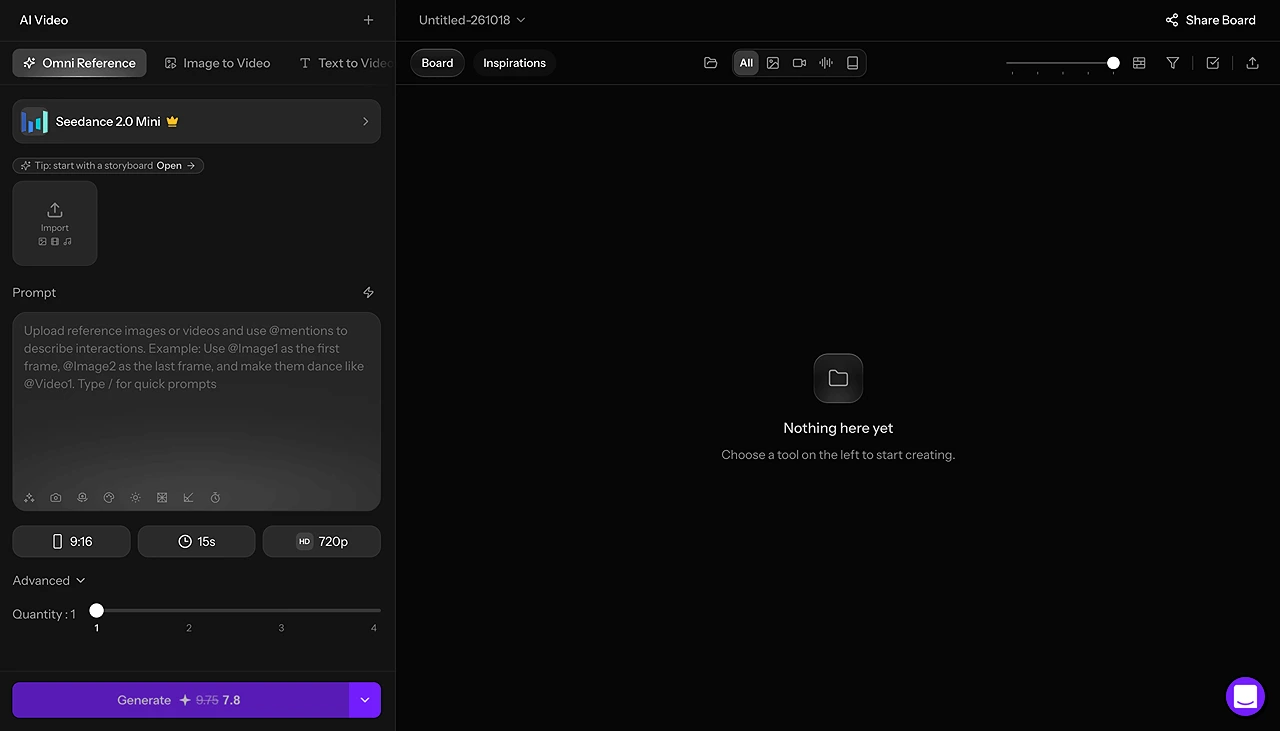
Open Seedance 2.0 Mini.
Click Try Seedance 2.0 Mini. Topview opens with this model selected.
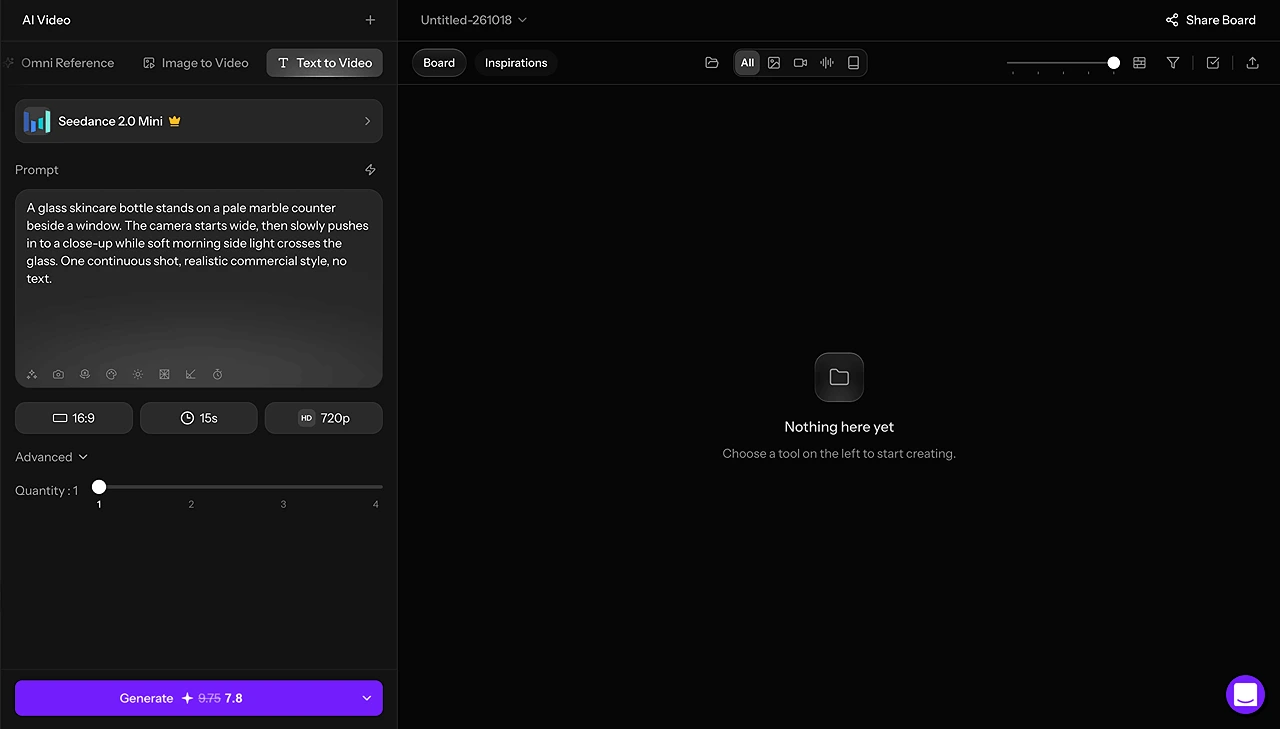
Choose how to start.
Use text to video for a written scene. Use image to video when you have a still, and add no more than 3 reference images.
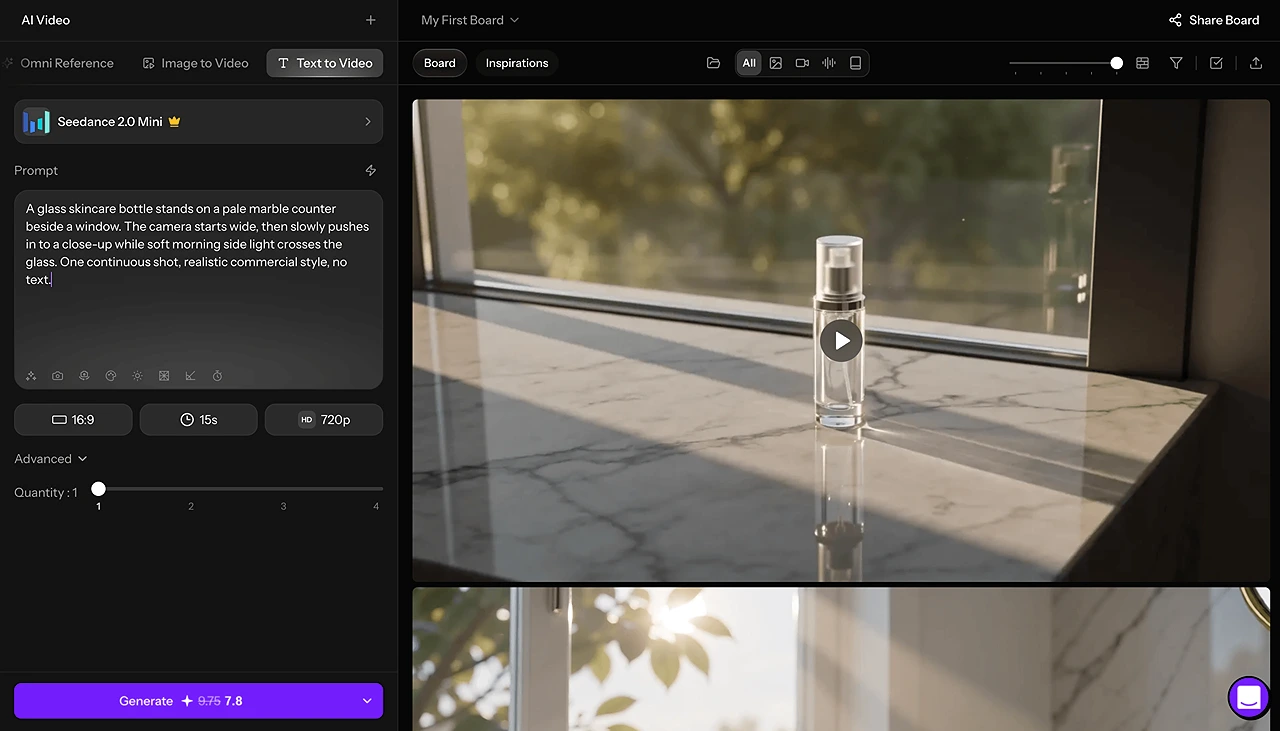
Set the output and generate.
Choose 480p or 720p and a duration from 4 to 15 seconds. Generate the clip, then change the prompt if you want another take.
Best Use Cases for Seedance 2.0 Mini
Prompt Testing
Test different prompt structures, camera movements, actions, lighting styles, and subject descriptions before final rendering.
Ad Creative Previews
Preview different ad hooks, product shots, opening scenes, and creative angles before producing the final video.
Product Video Concepts
Turn product photos into quick motion previews for ecommerce ads, product reveals, campaign concepts, and landing page visuals.
Social Media Clips
Create short video drafts for TikTok, Instagram Reels, YouTube Shorts, and paid social campaigns.
Client Pitch Decks
Show clients a moving preview instead of a static storyboard. Help them understand the visual direction before full production.
Storyboard to Motion
Bring mood boards, concept frames, and static references to life with short AI motion previews.
Seedance 2.0 Mini vs Seedance 2.0
Compare the confirmed settings
Best for
Seedance 2.0 Mini
Fast previews and concept testing
Seedance 2.0
Final production and client delivery
Main workflow
Seedance 2.0 Mini
Text prompts + reference images
Seedance 2.0
Text, image, video, and audio reference workflow
Output goal
Seedance 2.0 Mini
Short AI video drafts
Seedance 2.0
Production-ready cinematic videos
Creative use
Seedance 2.0 Mini
Prompt testing, ad hooks, social concepts
Seedance 2.0
Full scenes, campaigns, story videos, and polished content
Resolution
Seedance 2.0 Mini
480p, 720p
Seedance 2.0
480p, 720p, 1080p, 4K
Duration
Seedance 2.0 Mini
4–15 seconds
Seedance 2.0
4–15 seconds
Reference images
Seedance 2.0 Mini
Up to 3
Seedance 2.0
Up to 9
Reference videos
Seedance 2.0 Mini
Needs verification
Seedance 2.0
Up to 3 clips
Reference audio
Seedance 2.0 Mini
Needs verification
Seedance 2.0
Up to 3 files
Mixed references
Seedance 2.0 Mini
Needs verification
Seedance 2.0
Up to 12 files
Audio output
Seedance 2.0 Mini
None
Seedance 2.0
Native audio available
15 seconds at 720p
Seedance 2.0 Mini
7.8 credits
Seedance 2.0
15 credits
Best decision
Seedance 2.0 Mini
Use when testing ideas quickly
Seedance 2.0
Use when the creative direction is approved
Same prompt, same settings
Both clips use text to video. No reference images are uploaded.
- Resolution: 720p
- Aspect ratio: 16:9
- Duration: 5 seconds for the visual test
- References: none
Prompt
A glass skincare bottle stands on a pale marble counter beside a window. The camera starts wide, then slowly pushes in to a close-up while soft morning side light crosses the glass. One continuous shot, realistic commercial style, no text.
Switching models may generate a different visual result. Reusing a prompt does not guarantee an identical video.
How to Move from Seedance 2.0 Mini to Seedance 2.0
Seedance 2.0 Mini can help you explore creative direction before using the full Seedance 2.0 workflow.
- 1
Test Your Concept with Mini.
Generate a short preview and review the subject, camera motion, lighting, and composition.
- 2
Save Your Prompt and References.
Keep the original prompt, selected settings, and any reference images used in the successful preview.
- 3
Open Seedance 2.0.
Select the full Seedance 2.0 model and review its available generation options.
- 4
Reuse and Adapt Your Prompt.
Apply the approved creative direction, adjusting duration, shot structure, and settings for the new generation.
- 5
Generate and Compare.
Review the new output for quality, consistency, motion, and cost.
Switching models may generate a different visual result. Reusing a prompt does not guarantee an identical video.
Seedance 2.0 Mini Prompt Tips
Seedance 2.0 Mini works best when your prompt is clear, specific, and focused on one main scene. Avoid vague prompts like "make a cool video." Instead, describe what appears in the shot, what happens, how the camera moves, and what mood the video should create.
Subject + Action + Scene + Camera Movement + Lighting + Visual Style + Output Goal
Prompt Examples
A close-up product shot of a luxury skincare bottle on a marble bathroom counter. The camera slowly pushes in as soft morning light reflects on the glass. Clean premium beauty commercial style, realistic motion, elegant and minimal.
A young creator walks through a neon-lit city street at night while holding a smartphone. Handheld tracking shot, shallow depth of field, cinematic reflections on wet pavement, energetic social media ad style.
A sports drink can bursts through splashing ice and water in slow motion. Dynamic camera move, high-contrast studio lighting, crisp product detail, bold commercial look, short ad preview.
Questions about Seedance 2.0 Mini
Start Creating with Seedance 2.0 Mini
Use Seedance 2.0 Mini to test your next AI video idea faster. Start with a prompt, add reference images, generate a short preview, and refine your creative direction before moving into full production.